
z-image-turbo, the Model That Makes Text to 3D Possible
The 3D engine needs a picture, so z-image-turbo draws one from your sentence in about six seconds. You approve it before anything slow happens — and if you do not like it, redrawing costs nothing.
What z-image-turbo actually does
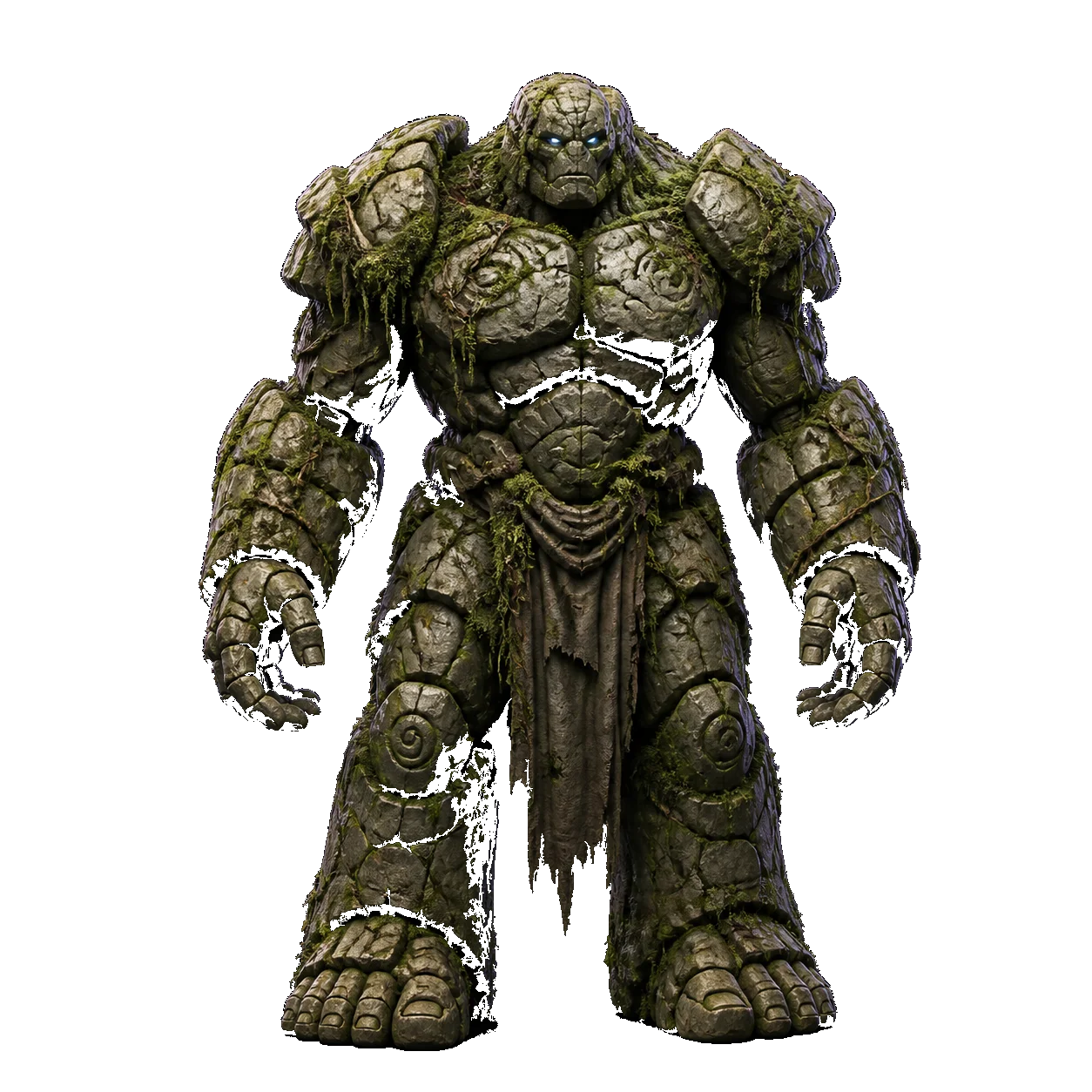
It is a fast text-to-image model, and on this site it has exactly one job: turn the sentence you typed into a single clear picture of a single object, on a plain background, lit evenly. That picture is what the 3D engine builds from.
Speed is the whole point of choosing it. Six seconds is short enough that redrawing feels free, which matters because the concept image is the step that decides whether the mesh will be any good. A slower, prettier model would make you reluctant to try again.
Your words are not sent to the model unchanged: a short instruction is appended asking for one centred subject on a plain ground, in frame. That is not editorialising your idea — it is the framing the mesh stage needs, and it is the single biggest lever on the final result.
z-image-turbo at a glance
How the model behaves as we run it, rather than what it can do in general.
| Developer | Tongyi, released as z-image-turbo |
|---|---|
| Task | Text to image, optimised for speed |
| Input here | Your prompt, plus a short framing instruction we append |
| Output | One concept image, shown to you before anything else runs |
| Typical time | About 6 seconds |
| Role in the pipeline | Stage one of text to 3D. Image to 3D skips it entirely |
| Price here | $0 — no account, no credits, no watermark |
| Commercial use | The image and the mesh built from it are yours to ship |
Six seconds is the typical case on an ordinary prompt. The figure moves with queue depth, not with how complicated your sentence is.
Why z-image-turbo sits in front of the 3D engine
The extra step looks like a detour. It is the reason text to 3D works at all here.
The 3D engine needs a picture
Hunyuan3D-2 is image-conditioned. Without a concept image there is nothing for it to read, so a text prompt has to become a picture somewhere.
You get a veto
Six seconds in, you see what the mesh will be built from. Redraw it, edit the prompt, or go ahead — the expensive stage only runs once you say so.
Fast enough to retry
A model that took a minute per image would make the approval step feel costly. At six seconds, trying a different phrasing is free in every sense.
Framing is enforced here
One centred subject on a plain ground is what makes the mesh stage reliable, so that instruction is added at this step rather than left to your prompt.
From your prompt to a finished file
Four stages. The middle two are the only ones that touch a GPU, and you approve the hand-over between them.
Text to 3D or image to 3D
Type a sentence, or drop a photo. Image to 3D skips straight to the mesh stage; text to 3D needs a picture first.
Concept image
z-image-turbo draws your prompt in about six seconds. You keep it, redraw it, or edit it with flux.2.
Mesh and texture
Hunyuan3D-2 turns that one image into geometry and bakes the texture onto it. This is the slow step, and the progress you see is real job state rather than an animation.
Download the .glb
Take the file. Convert it to STL, OBJ or USDZ in your browser if the next tool needs something else.
What z-image-turbo is good at, and what it is not
Judge it as the first half of a 3D pipeline, not as a general-purpose image generator.
Good at
- Single objects, cleanly framed. A prop, a figurine, a tool or a piece of furniture on a plain ground is exactly its brief.
- Material and style cues. Ceramic, brushed metal, low-poly, hand-painted — these come through clearly enough for the mesh to follow.
- Speed. Six seconds makes iteration genuinely free, which is worth more here than a slightly better single shot.
- Being thrown away. The image is a means to a mesh. Redrawing three times to get the silhouette right is the intended workflow.
Not good at
- Scenes and compositions. Two objects, a background or an environment will confuse the stage that follows.
- Text and logos. Small lettering is unreliable in the image and disappears entirely at mesh resolution.
- Photographic realism. It is fast rather than photoreal, and a photoreal concept would not make a better mesh anyway.
- Precise composition control. There is no inpainting or region control here — for a targeted change, use flux.2 on the concept instead.
Write the prompt like a product photo brief. Name the object, the material and the style, and stop. Scenes, backgrounds and camera language make a picture the mesh stage will struggle with.
The three models we run
That is the complete list. There is no fourth model behind the button and no vendor being resold.
Hunyuan3D-2
The mesh engine. Turns one image into a textured 3D model and bakes the texture on.
Read the specz-image-turbo
Draws the concept image from your text prompt in about six seconds, so text to 3D has something to build from.
You are hereflux.2
Optional concept edits — change the pose, the angle or the material before you commit the picture to the 3D engine.
Read the specMake a 3D model right here
You do not have to go back to the home page. Type a prompt or drop an image, and take the .glb — free, anonymous, no watermark.
z-image-turbo — frequently asked questions
A fast text-to-image model. On 3D AI Studio it draws the concept image that text to 3D is built from — it does not build geometry itself, and it never touches your uploaded photos.
Because the 3D engine we run is image-conditioned: it needs a picture of the object. Drawing that picture first also gives you a checkpoint — you see what the mesh will be built from and can redraw before the slow stage runs.
About six seconds in the typical case. That is short enough that regenerating costs you nothing but the wait, which is exactly why a fast model was chosen for this step.
Yes. Regenerate it, rewrite the prompt, or edit the picture with flux.2 to change the angle, the pose or the material. Nothing is charged at any point, because nothing costs anything.
The concept is shown in the generator and stays there for the session. Nothing is stored on our side and there is no library, so save what you want while you have it — that is the trade for never being asked who you are.
Yes. Anything you generate here is yours to ship, and we stamp no watermark on it. Do check that any input you supplied was yours to use in the first place.
Want to see the output before you commit?
Generate one, then open the .glb in the free viewer and read the triangle count yourself.
One sentence, six seconds, then a mesh
Type a prompt and watch the concept appear before anything slow happens. Free, anonymous, no watermark.
FreeNo signupNo watermarkDownloads as .glb